Open source · AGPL licensed · No telemetry

Budgeting that follows
your payday, not the calendar.

A self-hosted budgeting app that answers one question: am I going to be okay until my next paycheck?

✓ One Docker container ✓ One SQLite file ✓ No bank logins
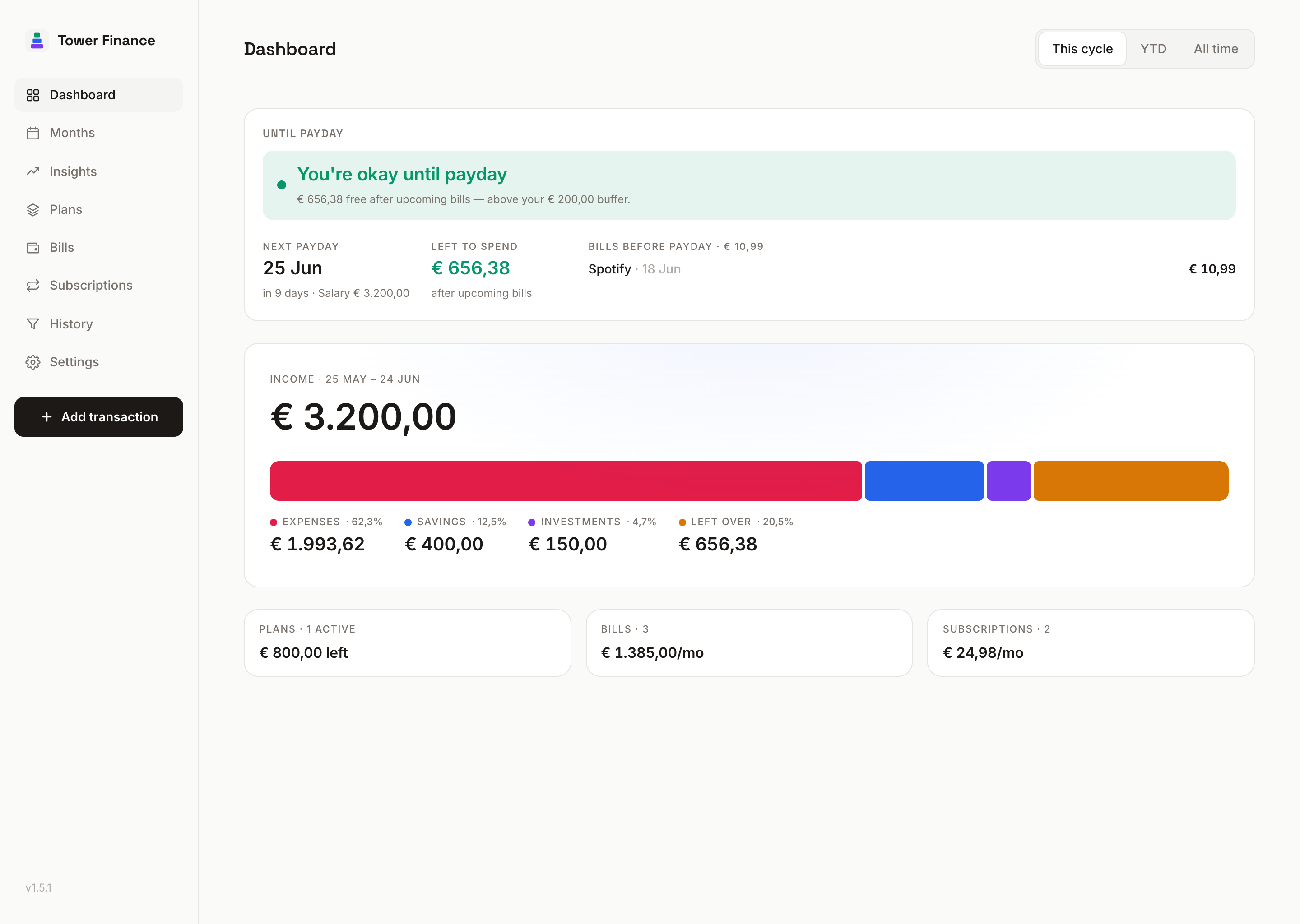
Tower Finance dashboard showing the payday verdict, cash-flow ribbon and commitments
The problem

Your paycheck doesn't care
what month it is.

Most budgeting apps assume your month starts on the 1st. If you're paid on the 25th, the last Friday, or every other Thursday, every report you look at is off by a paycheck.

Calendar months

Salary lands May 25th, rent is paid June 1st. May looks like a big surplus, June looks like a big deficit. Neither number reflects what actually happened.

May
Income €3200+€2400
June
Expenses €2880−€2880

Pay cycles

Tower Finance budgets payday to payday. Income and the bills it pays sit in the same period, so the report matches what your bank account did.

25 May to 24 Jun
Income €3200 · Spent €2400€800 left
25 Jun to 24 Jul
Income €3200 · Spent €2240€960 left
Built for clarity

One question, answered at a glance.

Every screen opens with a plain-language verdict. The detail is there when you want it, but it isn't the first thing you see.

The payday verdict

🟢 okay, 🟡 tight, 🔴 trouble. The headline compares the money you have left this cycle against a safety buffer you set.

Pay-cycle math

Budgets, insights and savings rate are bucketed by your pay cycle, so each paycheck lines up with the spending it actually pays for.

Your data, your file

One SQLite file on your server. No cloud account, no bank credentials, no telemetry. JSON export and import, plus an optional password.

Bills, subs, plans

Bills, subscriptions and payment plans all flow into the verdict automatically. Override any individual month when life is weird.

Insights without noise

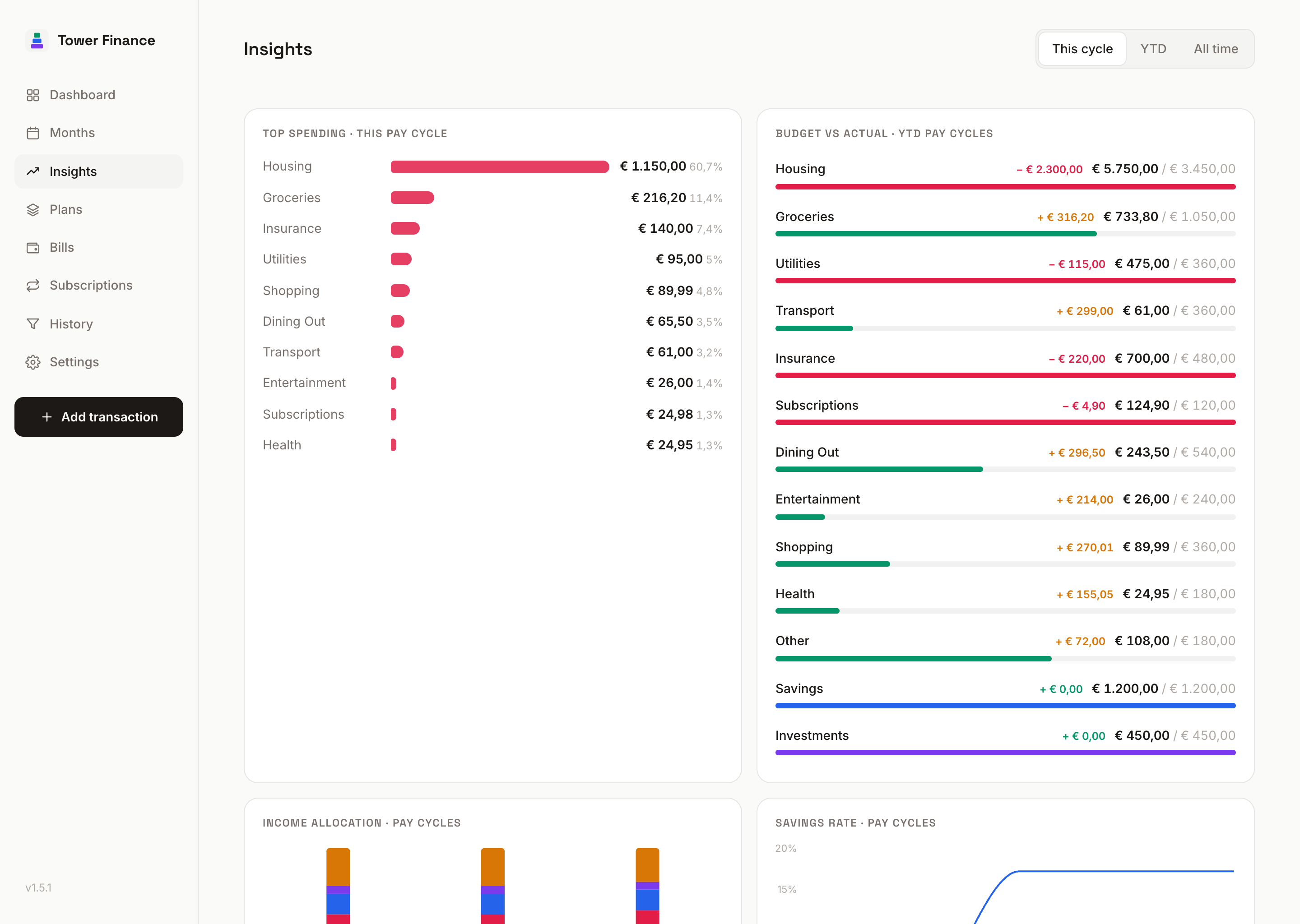
Top spending, budget vs actual, income allocation, savings rate. Each chart maps to a decision you'd actually make about next cycle.

Installable PWA

Add it to your phone's home screen and it opens fullscreen like a native app. A routine transaction takes about three taps.

Insights

Trends bucketed by the cycle that funded them.

If payday isn't the 1st, a calendar-month chart strands each paycheck from the spending it funds. Tower Finance buckets the Insights charts by your pay cycle instead, so the numbers line up with the dashboard.

  • Top spending categories with budget context
  • Income allocation: what % went where this cycle
  • Savings rate trend across cycles
  • Budget vs actual progress bars, monthly and YTD
Insights screen showing top spending, allocation and savings rate
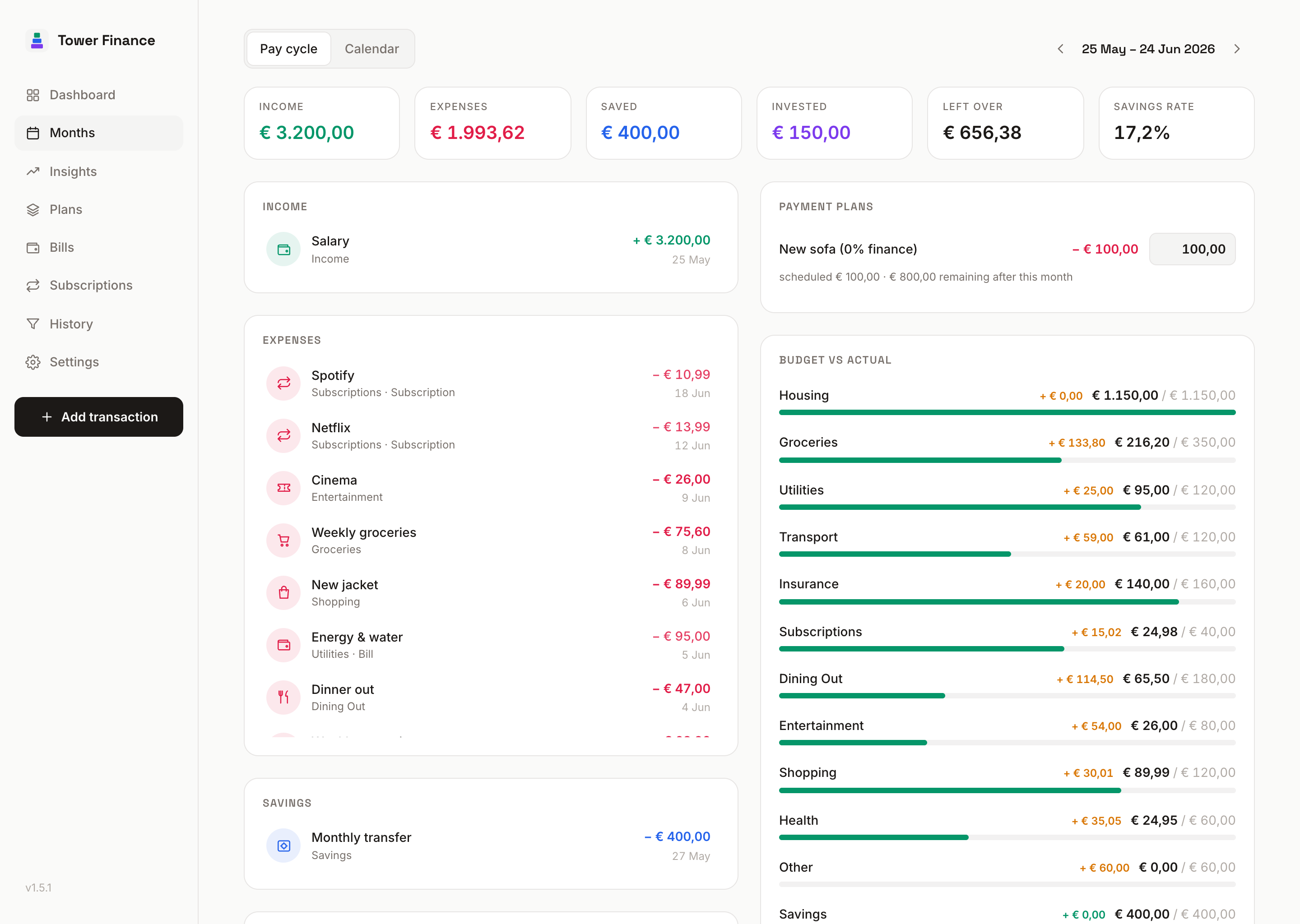
Months screen with cash flow by pay cycle
Months

Every cycle, side by side.

Browse past cycles like pages in a journal. Income, expenses, subscription charges, bill occurrences and plan installments are listed for each cycle, in the period that actually paid them.

  • Cycle / calendar toggle for month-by-month reporting
  • Read-only virtual rows for recurring items (bills/subs/plans)
  • One-tap drill into any cycle's history
What you don't get

Your finances stay
on your machine.

Financial data is sensitive, and the project treats it that way. The choices below aren't on a roadmap to change.

0
Lines of telemetry code
0
Bank credentials handled
1
SQLite file you can copy anywhere
MIT
Open source, audit the code yourself
How it works

Up and running in 30 seconds.

Drop a compose file on a server you already run, then open the URL. First-run onboarding sets your payday and a safety buffer. There's also a one-tap sample-data mode if you'd rather poke around first.

Pull the image

Pre-built multi-arch container on GHCR. Pin a version or track :latest.

Mount one volume

Everything lives in ./data/tower.db. Back it up by copying the file.

Open and budget

30-second onboarding, then start logging. Or load the sample data first.

docker-compose.yml
# Drop this in a folder, then: docker compose up -d
services:
  tower-finance:
    image: ghcr.io/blacksuite/tower-finance:latest
    container_name: tower-finance
    ports:
      - "3210:3210"
    volumes:
      - ./data:/app/data
    restart: unless-stopped
Common questions

FAQ

Does it connect to my bank?
No, and it isn't planned. Manual entry takes about three taps per transaction, and that small friction is part of the point: you notice what you spend. CSV import may show up later as an option.
Is it really single-user?
For now, yes. One install per household. Multi-user and shared budgets are on the roadmap, but the single-user experience needs to be finished first.
What if I get paid on the 1st like a normal budgeting app expects?
Then your pay cycles are calendar months, which is the default if you keep salary day at 1. The app works the same for you; it just stops treating everyone else's pay schedule like an edge case.
How do I back up my data?
It's a single SQLite file at ./data/tower.db. Copy the file with whatever you already use for backups. There's also a one-click JSON export and import inside the app.
Can I expose it to the internet?
Yes. Enable the optional password and put it behind HTTPS (a reverse proxy works). Sessions live in an httpOnly cookie, login is rate limited, and nothing auth-related sits in localStorage. The app is still meant for one trusted user.
How do I update it?
docker compose pull && docker compose up -d. Schema migrations run on start, and Watchtower handles it too if that's how you update your other containers. Pin a tag instead of :latest if you want to control when updates land.
Is it free? Really?
Yes. AGPL licensed, free forever to self-host. If it ends up saving you a budgeting-app subscription, there's a Ko-fi link in the footer. It's not asked for.

See your real cash flow.

Free, open source, and runs on a server you already own. A compose file and one open port is all the setup there is.